

Volupe Group przejęła od Endego działalność związaną ze sprzedażą i dystrybucją oprogramowania Siemens i Altair.
Endego koncentruje się na dalszym rozwoju usług inżynieryjnych i digitalizacyjnych. Dowiedz się więcej
Simcenter Inspire Form is a complete stamping simulation environment that can effectively be used by product designers and process engineers to optimize designs, simulate robust manufacturing and reduce material costs.
With the fast and easy feasibility module, users can analyze parts in seconds to predict formability early in the product development cycle. The automated blank nesting proposes an efficient layout of the flattened blank on the sheet coil to maximize material utilization.
The tryout module includes a highly scalable incremental solver, helping users to iterate and simulate multi-stage forming, trimming and springback in a modern and intuitive user interface, reducing complexity and making the production of high quality parts more economical.
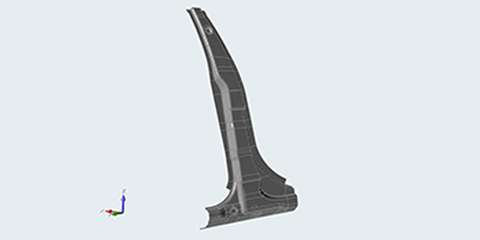
Simcenter Inspire Form enables users to quickly and reliably check the formability of apart early in the product design cycle. With Simcenter Inspire Form, users can visualize potential defects such as splits or wrinkles, and then modify to eliminate defects and improve overall design.
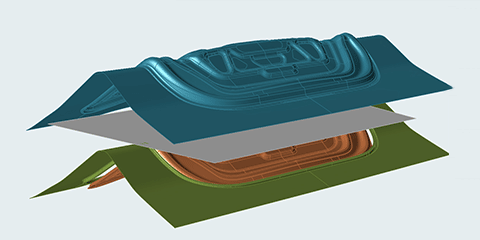
Simcenter Inspire Form has a simple and highly intuitive workflow that is easy to learn and apply. Training scope and the time needed to work independently depend on user experience and the complexity of the forming processes.
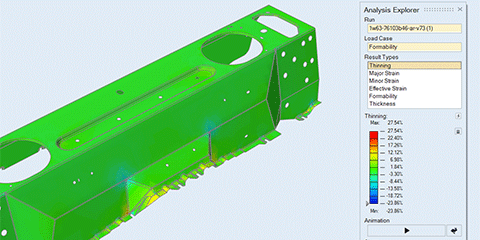
Simcenter Inspire Form predicts accurate blank shapes that can be optimally nested in progressive and transfer die layouts within manufacturing constraints to save material and cost.